Stop piecing together five apps to run one business.
The Pro CFO App connects to QuickBooks Online and puts your forecast, month-end close, collections, goals, and reporting in one place. Built first for my own clients. Now open to any business owner, and the advisors who work with them.
Five jobs. One place.
QuickBooks keeps the books. This is where you run the month from them.
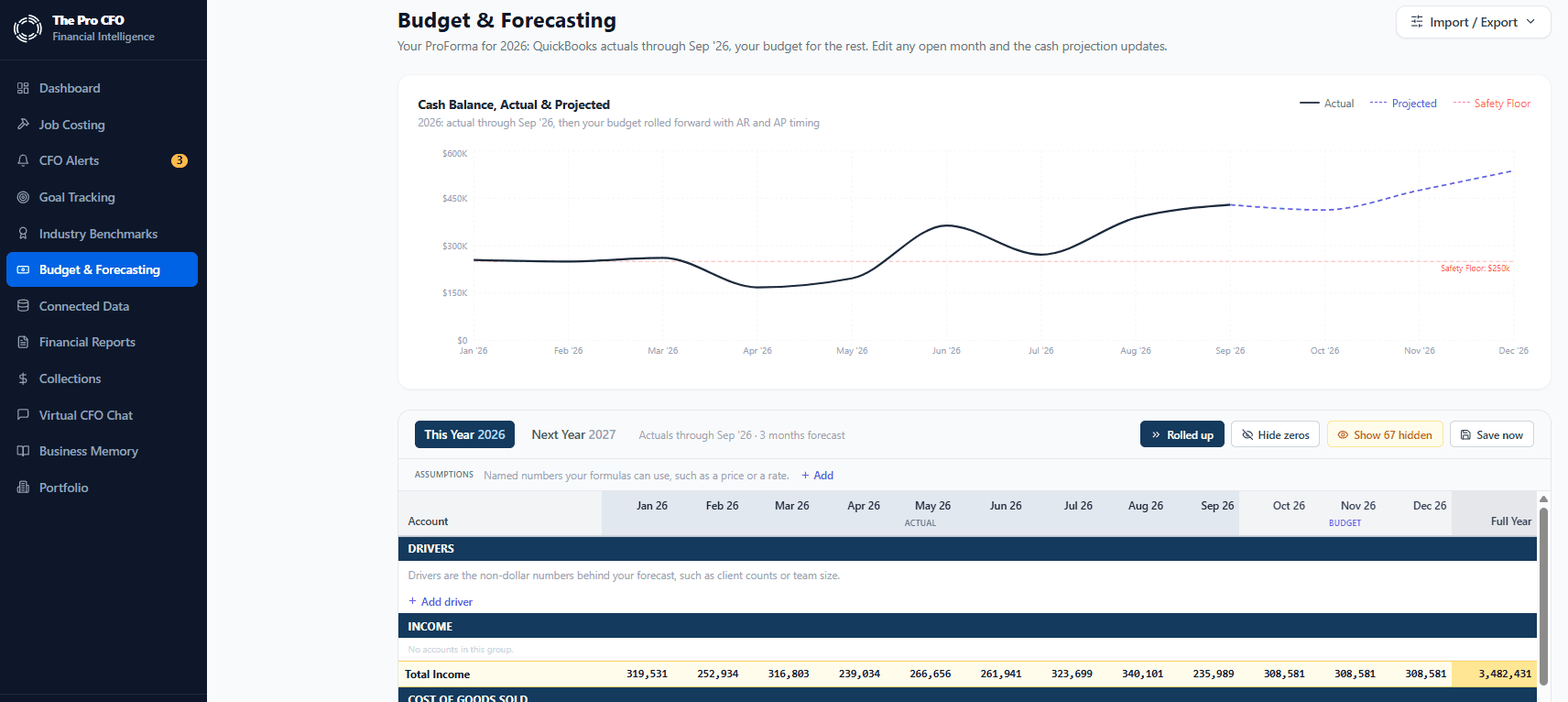
Your ProForma, with actuals filled in for you.
One calendar-year grid. Closed months are QuickBooks actuals. Open months are your budget, built from drivers and assumptions you name, like headcount or price per job. Edit a cell and the 12-month cash projection updates, with AR and AP timing applied. Import or export the whole thing as Excel when you need to.
Know where the books stand, and who is on the hook.
A month-end checklist built around your own QuickBooks accounts: preparation, reconciliations, clean-up, and final review. Assign each task, set a close target, and ask a question of a specific person without leaving the page.

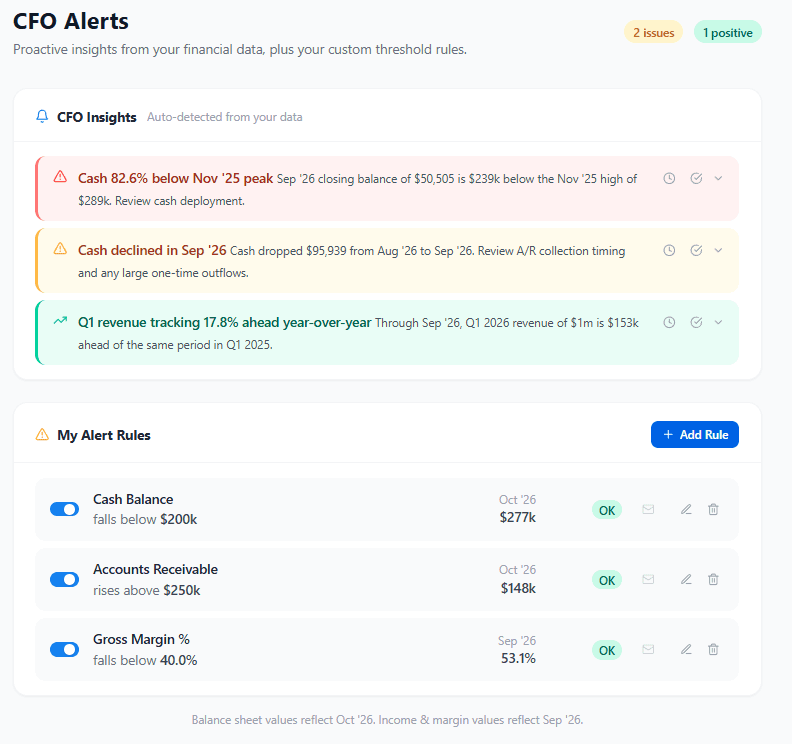
What needs you this week, with the next step ready.
Margin slipping, an expense line that doubled, receivables ageing past 60 days, cash below your safety floor. Alerts are about this month and last, never stale history, and each one links to the numbers that triggered it.
Set the target. See every month if you are on pace.
Pick any monthly metric, set a target month, and the coach's note reads your forecast to tell you whether the plan gets you there. Business Memory keeps the context about your business, so the guidance fits how you actually operate.

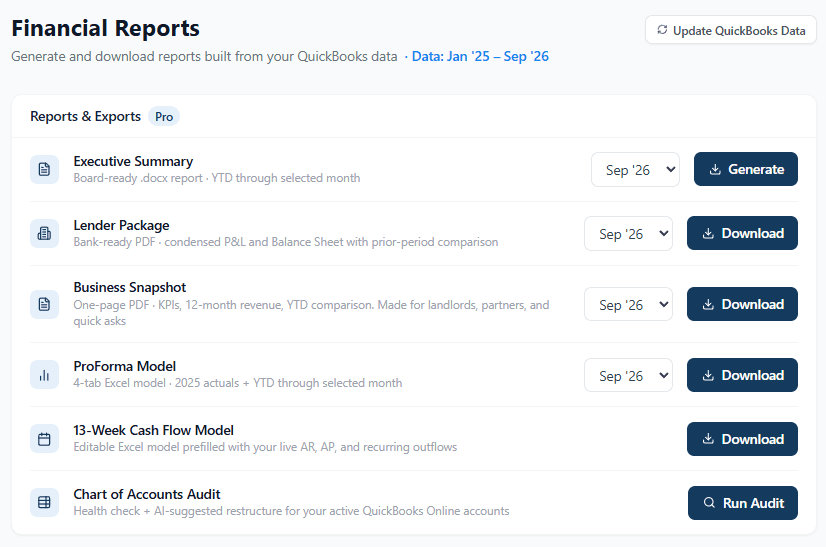
Board-ready in one click, written in plain English.
A monthly executive summary with P&L, balance sheet, cash flow, budget variance, and a narrative that explains what changed and what to do about it. Publish it, share it with a partner or lender, and keep every version.
Everyone who touches the numbers, in one place.
Invite your partner, your bookkeeper, or your CFO. Each person sees and edits only the sections you grant. Own more than one business, or run a practice? Add each company under the same login and switch from the header.
Not another finance calculator.
Anyone can generate a dashboard. This was built inside a working CFO practice, for the monthly routine that practice runs.
Every section started as something I needed for my own fractional CFO clients.
Access goes through Intuit's own sign-in. Nothing is written back to your books, ever.
Intuit Developer Program member. QuickBooks App Store listing in review. Independent security review in progress.
Encrypted in transit and at rest with AES-256. Never used to train AI models. Disconnecting deletes stored tokens.
Set up in under five minutes. No spreadsheets to build.
One click through Intuit's own sign-in. Read-only. Nothing is written back to your books, ever.
P&L, balance sheet, invoices, and bills come in. A starter budget, your close checklist, and your overdue list are ready on first load.
Edit the forecast, work the close, chase the overdue invoices, and publish the executive report. Nightly sync keeps it current.
More, when your business needs it.
Profit by project, budget vs. actual, and a Job Profitability Report for contractors and agencies. Add-on.
Which customers make you money and which cost you. Premium module.
Google Sheets, Excel, uploads, or a pushed deal feed. Build KPIs on numbers that never touch QuickBooks.
Your margins and ratios next to the median for your industry, so "good" has a number.
Ask what your gross margin was in March, why cash dropped, or what happens if you hire. Answers cite your books.
Daily Glance, alerts, and chat on your phone. Install it from the browser, no app store.
Start free. Pay per company when you are ready.
Every new account gets 14 days of Pro. Keep it, drop to Free, or just bail.
The ones we get asked most.
Does this replace QuickBooks?
No. QuickBooks stays your accounting system. The Pro CFO App reads it and gives you the layer on top: the forecast, the close checklist, collections, goals, and reports. Nothing is written back to your books.
Do you support multiple companies?
Yes. Add as many as you like from Billing. Each connects its own QuickBooks file, you switch between them from the header, and they all sit on one subscription: $99 for the first, $49 each for the next four, $29 each after that. Free accounts include one company.
I'm a bookkeeper or fractional CFO. How does this work for my clients?
Two ways. Add your clients as companies on your own account and pay one bill, or have each client sign up and invite you as an advisor. The advisor role gives you full access to their company without touching their billing. Bookkeepers and accountants can also earn recurring commissions through the Partner Program.
Is my financial data secure?
QuickBooks access is read-only and goes through Intuit's own sign-in. Data is encrypted in transit and at rest. Disconnecting revokes access and deletes stored tokens. Your data is never used to train AI models.
Do I need a credit card for the trial?
No. Create your account and you get 14 days of Pro with no card. Keep Pro by adding a card on the Billing page, or do nothing and your account moves to the Free plan. Nothing is charged.
Can I cancel or downgrade anytime?
Anytime, from Billing. If you downgrade you keep the Free plan: your QuickBooks connection, dashboard, KPIs, alerts, goal tracking, and benchmarks, at no charge.
What happens to my data if I leave?
Disconnect QuickBooks and we delete the stored tokens. Delete your account and the data goes with it.
Run next month from here.
Connect QuickBooks and have your forecast, close checklist, and overdue list in front of you in minutes.